
Room and studio booking software for anything you hire by the hour
Rooms and halls don't care what's inside them. Whether you hire out a meeting room, a function space or a rehearsal studio, the problem is the same: keep track of who has what, and when.
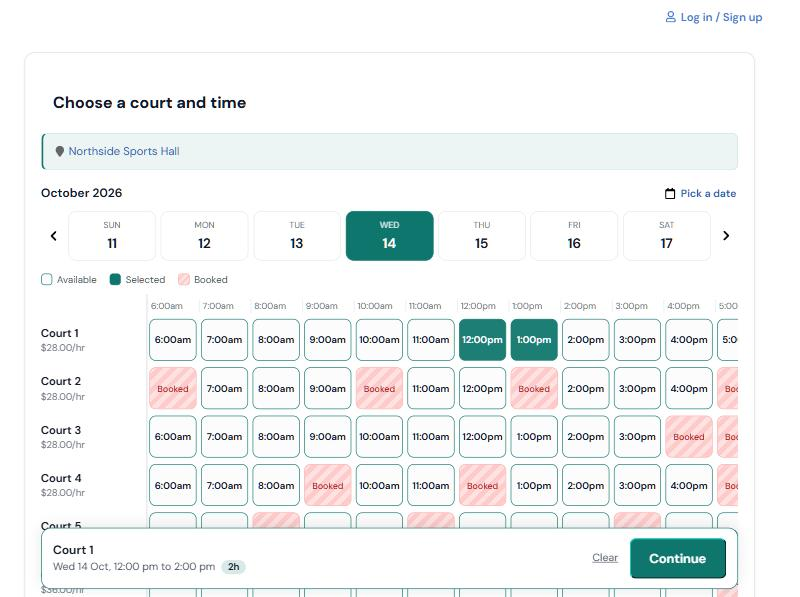
Start free Try the booking demoAdd each space with its own name, description and hourly price. Customers pick a room and a time, see the price and book. A description helps them choose, for example how many people the room holds or what equipment is in it.
Rooms often come with rules. Put them in the room description so people read them before they book, and add notes to a booking for anything specific.
What you get
Bookable up to eight hours
From 15 minutes to a full day, you choose the slot length and the longest booking.
Clear room descriptions
Say how many people fit, what equipment is in the room and any rules of hire, right on the booking page.
Regular hirers
Block rooms weekly for classes and community groups, so they keep the same slot all term.
Closed days stay closed
Public holidays and your own blocked time keep rooms unavailable when you need them to be.
How it works
- Add your rooms. Name each room, set its hourly price and choose how long a slot is.
- Set your hours. Choose when you're open at each location. Block off anything you don't want to sell.
- Share your booking link. Put it on your website, in your socials or on a sign at the front desk.
- Players book and pay. Your calendar fills in, and nobody gets double-booked.
Questions about rooms & studios bookings
Is this suitable for council or community halls?
Yes. It suits halls, church rooms and community centres that hire out space. You can connect Stripe if you want online payment, or leave it off.
Can I stop people booking too far ahead?
Yes. Set how far in advance bookings can be made, and how much notice you need.
Can I show my hire terms?
Put them in the room description and your welcome message on the booking page, so customers see them before they pay.
Can I manage more than one building?
Add each building as a location. Plans include unlimited locations.
Ready to put your rooms online?
Every plan includes unlimited staff logins and locations, and your own booking page.
Sign up for free